
Data flowing in minutes, not months.
Getting building data has always been slow and complicated. Specialists, custom work, and endless emails. Not anymore. With Novant, just plug in and go.
Discovery finds the points. Turning them into a model of the building – floors and rooms, air handlers and VAVs, what feeds what – has always been the slow part.
Now you can hand that to the AI assistant you already use. Connect Claude, ChatGPT, or another assistant to Novant, share the drawings and point lists you have, and it drafts the model for you.
What used to take days of spreadsheet work becomes a conversation.
I matched the schedule to the 69 controllers Novant discovered. Here’s the draft:
✓ Checked by Novant – nothing saved yet.
Want me to import it?
Your assistant reads the devices and points Novant discovered, plus any floor plans, schedules, or point lists you give it.
Spaces, zones, and equipment, and how they connect – which air handler feeds which VAVs, and which rooms each one serves.
Novant checks every import before it’s saved, so you review the result first. Assistants can never control the building.
Access follows each person’s role, and your organization decides whether assistants can only read or can help edit.
Drop a Novant edge node on-site. It links to the cloud on its own – nothing else to install or configure locally.
Novant auto-discovers your points and normalizes them into a single, consistent model.
The moment a point is bound, it's live – real-time values and trends, ready to use.
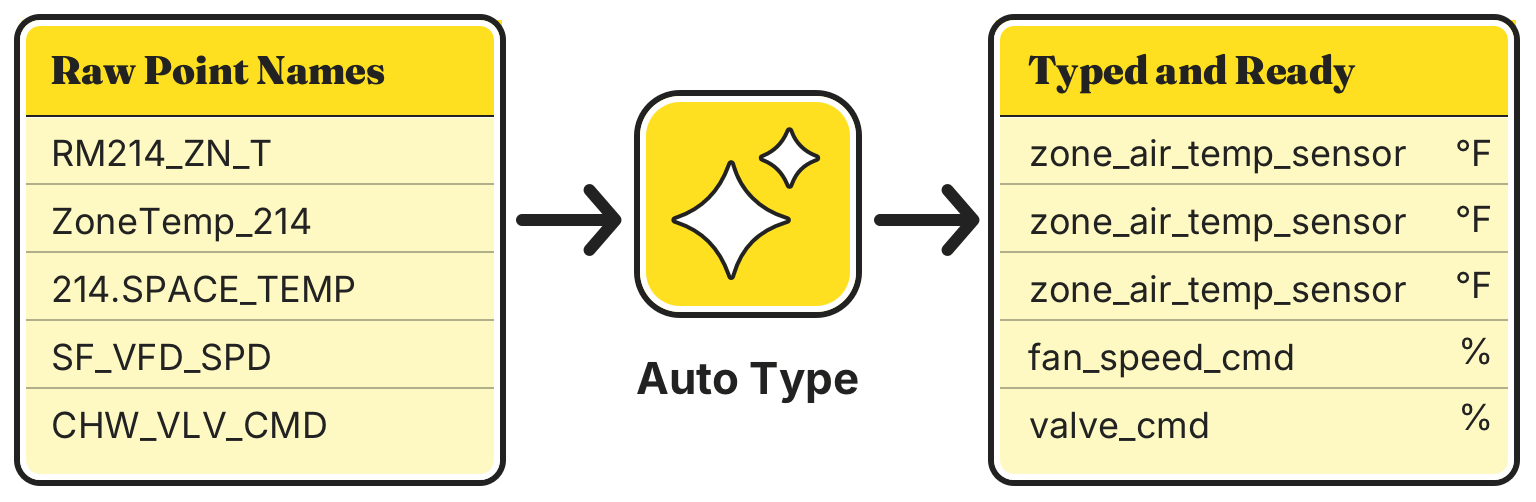
There is no standard for naming points. Every vendor, every integrator, and every building does it differently – which is why onboarding has always meant deciphering thousands of cryptic abbreviations.
Auto Type identifies what a point actually is from far more than its name – the units it reports, the states it can be in, its address on the network, and the equipment it’s attached to.
It learns from how points are typed across the Novant network, so it keeps getting sharper as more buildings come online.
Novant connects to the systems your buildings already run – new or legacy, single-vendor or mixed – so a site comes online no matter whose controllers are inside.


Stand up a site yourself – no professional-services engagement required.
BACnet, Modbus, Niagara, OPC UA, and more, normalized into one vendor-neutral model.
Novant finds the points on every system for you – no hunting through controllers, no lists to build by hand.
One person or your whole team can bring dozens of buildings online.
Real-time values across the whole project, the moment each point comes online.
Every point keeps its own history – up to a decade of trend data, captured automatically.